


Description
Microsoft Excel is the most widely used professional software tool on earth. It is used in every Kenyan office, every Kenyan business, every Kenyan university, and every Kenyan organisation that handles data, manages finances, tracks performance, or presents information. The gap between someone who uses Excel and someone who masters it — who can build financial models, automate repetitive tasks, create compelling visualisations, and extract meaningful insights from complex data — is one of the most consequential professional skill gaps available to close in Kenya’s competitive job market.
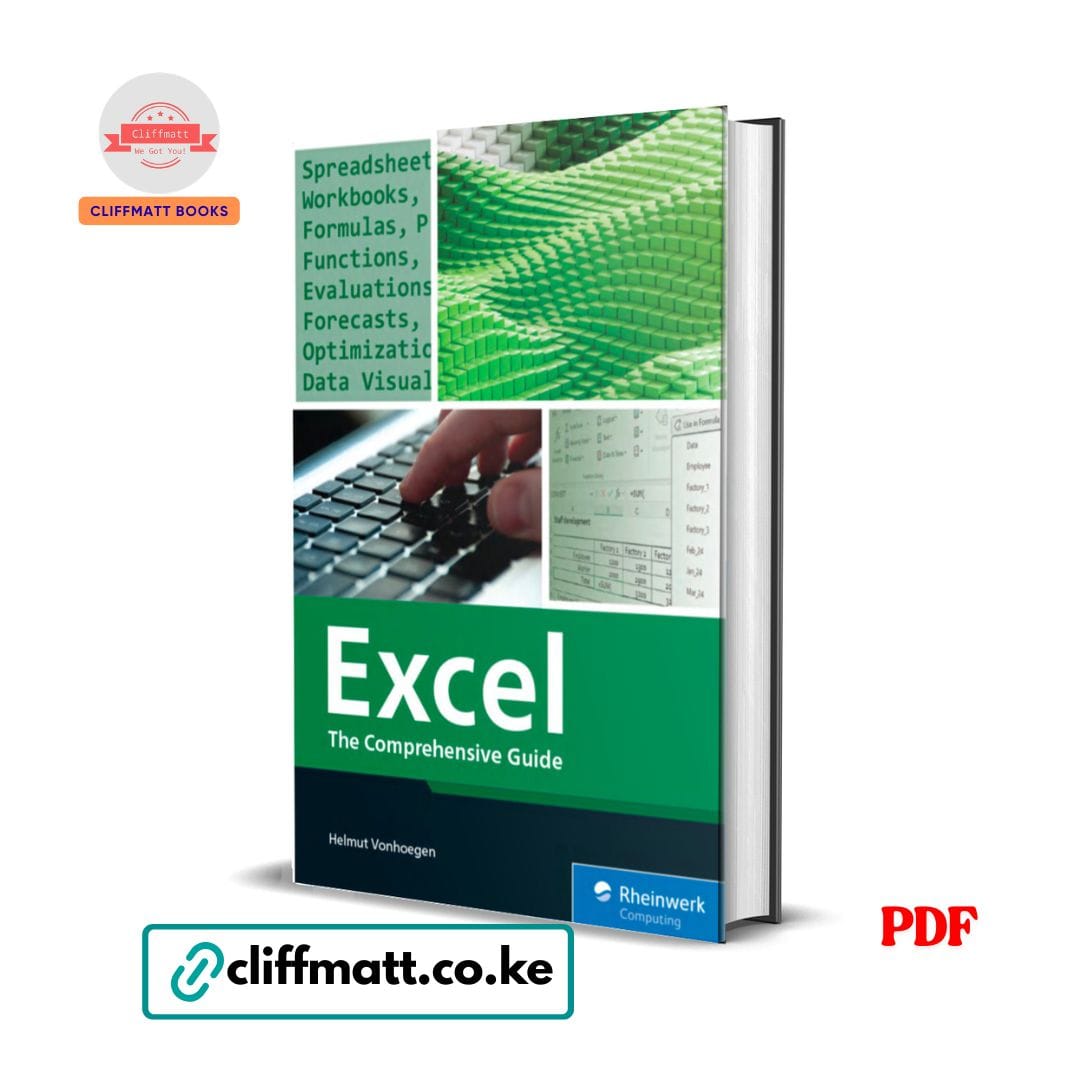
Excel: The Comprehensive Guide by Helmut Vonhoegen — published by Rheinwerk Computing, one of the world’s most respected technical publishing houses — is the most thorough, most systematically organised, and most professionally written Excel reference available in a single volume. With coverage spanning spreadsheets, workbooks, formulas, functions, evaluations, forecasts, optimisation, and data visualisation, it takes every reader from wherever they currently are with Excel to the specific level of mastery that the most demanding professional applications require.
This is not a quick-start guide. It is the complete reference — the book you return to throughout your professional life whenever Excel presents a challenge you have not faced before, and that builds the foundational mastery that makes those challenges increasingly rare.
What This Book Covers:
Excel Foundations — Building on Solid Ground:
- The Excel interface in depth — the specific components of the ribbon, the formula bar, the worksheet area, the sheet tabs, and the specific customisation options that make Excel work for your specific professional workflow rather than the default configuration
- Workbook and worksheet management — creating, naming, moving, copying, grouping, and protecting worksheets; managing multiple workbooks simultaneously; the specific navigation shortcuts that dramatically increase working speed
- Data entry and editing — the specific data types (numbers, text, dates, times, logical values), how Excel handles each, and the specific entry techniques that prevent the most common data quality problems before they occur
- Cell referencing — relative, absolute, and mixed references; the specific logic behind each reference type and when to use which; the specific reference errors that plague Excel users who do not fully understand referencing and how to avoid them
- Named ranges — how to name cells, ranges, and tables; why named ranges make formulas dramatically more readable and more maintainable; the specific best practices for naming conventions in professional Excel work
- Data validation — restricting input to specific values, ranges, or formats; creating dropdown lists; building the specific input controls that prevent data entry errors in shared workbooks
Formulas — The Heart of Excel Power:
- The specific logic of Excel formula construction — operator precedence, function nesting, array formulas, and the specific structural principles that make complex formulas work correctly and fail gracefully
- Error handling — the specific error types (DIV/0!, VALUE!, REF!, NAME!, NULL!, NUM!, N/A) what causes each, and the specific formulas (IFERROR, IFNA, ISERROR) that handle them elegantly in professional models
- Formula auditing — trace precedents, trace dependents, evaluate formula, and the specific tools that make complex formula debugging manageable rather than frustrating
- Dynamic array formulas — the modern Excel feature that transforms how multi-value calculations work; SPILL errors and their resolution; the specific new functions (SORT, FILTER, UNIQUE, SEQUENCE, XLOOKUP) that make older approaches obsolete
Functions — The Complete Reference:
Lookup and Reference Functions:
- VLOOKUP and HLOOKUP — the foundational lookup functions that every professional Excel user must master; exact match versus approximate match; the specific failure modes of VLOOKUP (leftward lookups, fragility to column insertion) and how to avoid them
- INDEX/MATCH — the more powerful and more flexible alternative to VLOOKUP; how to combine INDEX and MATCH for lookups in any direction, for multiple criteria, and for the specific use cases where VLOOKUP fails
- XLOOKUP — the modern replacement for VLOOKUP that addresses its fundamental limitations; its syntax, its advantages, and the specific situations where it should replace legacy lookup functions in professional work
- OFFSET and INDIRECT — the dynamic reference functions that enable the specific types of flexible, parameterised references that static functions cannot produce
- CHOOSE and SWITCH — conditional reference functions for the specific use cases where IF chains become unwieldy
Mathematical and Statistical Functions:
- SUM, SUMIF, SUMIFS, SUMPRODUCT — from basic summation through conditional summation to the versatile SUMPRODUCT that enables calculations that no other function can match; the specific SUMPRODUCT patterns that handle the most complex conditional aggregation requirements
- COUNT, COUNTA, COUNTIF, COUNTIFS — the counting functions for every data type and every conditional complexity; the specific use cases for each and the specific errors each avoids
- AVERAGE, AVERAGEIF, AVERAGEIFS — conditional averaging for the specific professional analysis requirements that simple AVERAGE cannot address
- Statistical functions — STDEV, VAR, MEDIAN, MODE, PERCENTILE, RANK, and the specific statistical calculations that business analysis, research, and performance management require
- Rounding functions — ROUND, ROUNDUP, ROUNDDOWN, FLOOR, CEILING, INT, TRUNC — the specific use cases for each and the specific precision requirements that determine which to apply
Text Functions:
- LEFT, RIGHT, MID, LEN — the foundational text extraction functions and their specific applications in data cleaning and text manipulation
- FIND, SEARCH, SUBSTITUTE, REPLACE — text search and replacement functions for the specific data transformation tasks that every professional data cleaner faces
- CONCAT, TEXTJOIN, TEXT — text combination and formatting functions for the specific output requirements of professional reports and dashboards
- TRIM, CLEAN, UPPER, LOWER, PROPER — text cleaning functions for the specific data quality issues that import data, web data, and manually entered data consistently produce
Date and Time Functions:
- DATE, DATEVALUE, TODAY, NOW — date construction and current date/time functions; the specific way Excel stores dates as serial numbers and what that means for calculation
- DATEDIF, DAYS, NETWORKDAYS, WORKDAY, EDATE, EOMONTH — date calculation functions for the specific business scenarios (employee tenure, project duration, payment terms, deadline calculation) that date arithmetic must address
- YEAR, MONTH, DAY, WEEKDAY, WEEKNUM — date component extraction for the specific data analysis that requires decomposing dates into their constituent elements
Logical Functions:
- IF, IFS, NESTED IF — conditional logic from simple binary decisions through complex multi-condition evaluation; the specific structural approaches that keep complex IF formulas readable and maintainable
- AND, OR, NOT, XOR — logical operators for the specific multi-condition logic that business rules require
- SWITCH and CHOOSE — the specific alternatives to nested IF that produce cleaner code for categorical logic
Financial Functions:
- PMT, PV, FV, NPER, RATE — the core time value of money functions for loan calculations, investment analysis, and financial planning; the specific parameter conventions and the specific calculation types each enables
- NPV, IRR, XNPV, XIRR — investment return functions for the specific capital budgeting and project evaluation calculations that financial analysts perform
- DEPRECIATION functions — SLN, DB, DDB, SYD for the specific accounting requirements of asset depreciation calculation
Data Analysis — Beyond Basic Calculations:
PivotTables:
- The complete PivotTable workflow — creating, structuring, filtering, and refreshing PivotTables from structured Excel data; the specific design decisions that produce PivotTables that are both analytically powerful and user-friendly
- Calculated fields and items — extending PivotTable analysis beyond raw data aggregation; the specific calculations that PivotTables can perform internally
- PivotTable formatting and layout — the specific design choices that make PivotTables professional rather than merely functional; the specific formatting options that produce publication-ready analytical output
- PowerPivot and the Data Model — Excel’s in-memory analytics engine for the specific analysis requirements that exceed standard PivotTable capabilities; DAX formulas and their specific applications
Data Sorting, Filtering, and Cleaning:
- AutoFilter and Advanced Filter — the specific filtering approaches for different data extraction requirements; how to use Advanced Filter for the specific complex criteria that AutoFilter cannot handle
- Data cleaning — removing duplicates, standardising formats, correcting errors; the specific workflow for cleaning imported data from external systems
- Power Query — the modern data transformation and loading tool that replaces manual data cleaning for repeatable data processes; connecting to external data sources, transforming data, and loading it into Excel for analysis
Forecasting and Optimisation:
- Trend analysis — FORECAST, TREND, GROWTH, and the specific statistical functions that project future values from historical data
- Excel’s Forecast Sheet — the automated forecasting tool that produces time series forecasts with confidence intervals from historical data
- Goal Seek — single-variable what-if analysis; how to use Goal Seek to find the input value that produces a desired output in any formula-based model
- Scenario Manager — multi-scenario what-if analysis for the specific business planning requirement of comparing multiple input assumptions against a consistent model
- Solver — Excel’s optimisation tool for the specific linear, non-linear, and integer programming problems that arise in production planning, financial optimisation, and resource allocation; setting up objective functions, decision variables, and constraints
Data Visualisation — Charts and Dashboards:
- Chart types — the complete Excel chart library: column, bar, line, area, scatter, bubble, pie, doughnut, radar, waterfall, treemap, sunburst, histogram, box and whisker, and the specific use cases for each; how to choose the right chart type for the specific data relationship you are communicating
- Chart formatting — the specific design choices (colours, fonts, gridlines, data labels, axis scales, chart titles) that make charts genuinely communicative rather than merely decorative
- Dynamic charts — how to create charts that update automatically as underlying data changes; the specific techniques (named ranges, tables, OFFSET functions) that enable dynamic chart ranges
- Dashboards — how to design and build multi-component Excel dashboards that combine charts, KPI displays, summary tables, and interactive controls into professional-grade management reporting tools; the specific layout, design, and interactivity principles of effective dashboard design
Automation — Macros and VBA:
- The macro recorder — how to record, edit, and run macros for the specific repetitive tasks that automation delivers the most immediate time savings
- VBA fundamentals — the specific programming concepts (variables, procedures, loops, conditionals, objects, properties, methods) that every Excel professional needs to understand to read, modify, and write basic VBA code
- Practical VBA applications — automating data entry, report generation, data cleaning, and the specific repetitive Excel workflows that define the specific time costs of professional spreadsheet work
Why Kenyan Professionals Are Buying This Book: Excel mastery is one of the most directly monetisable professional skills in Kenya’s job market. The specific gap between intermediate and advanced Excel competency — the gap that this book closes — translates directly into specific professional advantages: promotion readiness, consulting capability, analytical credibility, and the specific time efficiency that allows a professional who truly masters Excel to accomplish in hours what their colleagues take days to complete.
At Ksh 100, this is the most complete and most professionally authoritative Excel reference available anywhere in Kenya — published by one of the world’s most respected technical computing publishers.
Who This Book Is For:
- Kenyan professionals in finance, accounting, banking, and corporate management who use Excel daily and want to move from competent to genuinely expert
- University students and graduates entering the workforce who want Excel mastery as a specific, documented professional differentiator from day one
- Data analysts and business intelligence professionals who want the complete reference for every Excel analytical capability they need
- Entrepreneurs and small business owners who manage their own financial modelling, sales tracking, and business reporting in Excel
- Every reader of Excel Formulas & Functions for Dummies, Data Analysis in Management with SPSS Software (Verma), and SPSS Statistics for Dummies who wants the most comprehensive Excel reference to complete their data skills library
- Any Kenyan professional who has ever felt limited by their Excel knowledge — who has watched a colleague do something in Excel that seemed impossibly sophisticated — and who wants to close that gap permanently
📖 Author: Helmut Vonhoegen 🏢 Publisher: Rheinwerk Computing 📄 Format: PDF eBook (instant download via WhatsApp or email) 💰 Price: Ksh 100 only 🚀 Delivery: Instant after M-Pesa payment confirmation
👉 Order now on cliffmatt.co.ke — Pay via M-Pesa, receive your PDF instantly.













Reviews
There are no reviews yet.